CRM Phone Data Quality: Why Customer Phone Numbers Matter Before You Send

Content authorBy Claire ConnorPublished onReading time10 min read
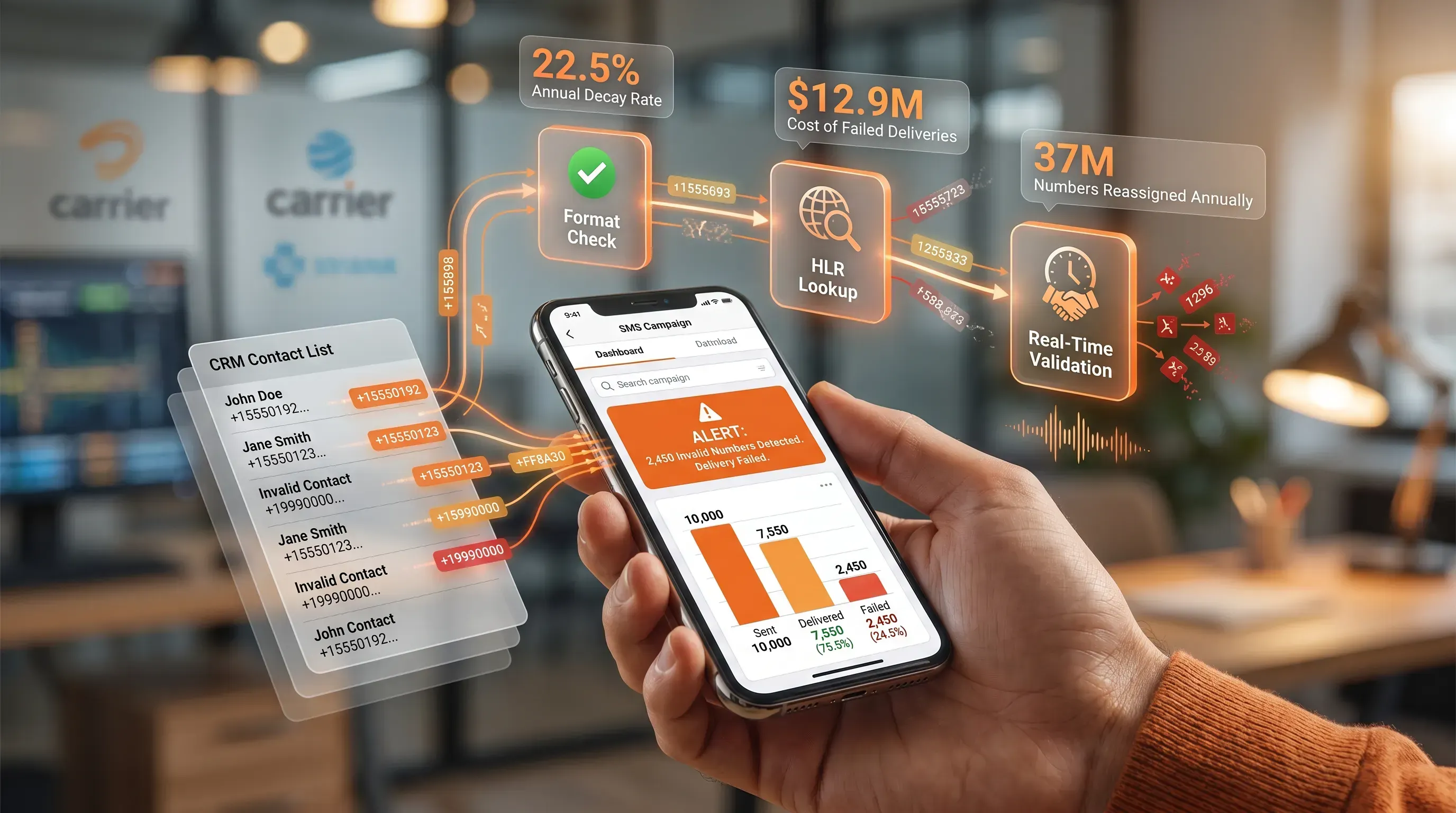
A realistic tech scene featuring a smartphone displaying an SMS campaign dashboard, with glowing validation nodes and a CRM contact list overlay.

This article explains why CRM data quality shows up first in the phone number field and how that quiet decay drags down your SMS results. It also explains what to do about it. You will finish able to diagnose whether your own contact data is costing you reach and money through weaker delivery, and to make the case for fixing it.

The problem hiding in your send list

Your SMS program looks healthy. Volume is up, and the dashboard shows tens of thousands of messages sent while the monthly report lands on schedule. But sit with the numbers for a moment. A meaningful slice of the phone numbers in that send list are invalid or disconnected, with some already handed to a different person, and nothing in the report tells you that.

That gap is easy to miss because "sent" and "delivered" are not the same thing. "Sent" means the message left the platform and reached the carrier, which does not guarantee it reached a phone. So the activity you see is real. The reach behind it is uncertain.

Here is the tension worth naming. Your SMS performance and your CRM data quality are the same problem seen from two angles, and the phone field is where the problem surfaces before anywhere else. You can run a sophisticated messaging program on top of a contact database that's quietly rotting, and for a while the rot stays invisible. The spend keeps climbing while conversion stays flat, even though the delivery figures look fine on the surface. If you own the outcome of that program but have never audited the data feeding it, the rest of this article is about closing that blind spot.

How bad phone data quietly forms

Start with an uncomfortable fact. Even a database that was spotless at signup drifts out of date on its own, without anyone making a mistake. This structural decay cannot be cleaned once and forgotten. The industry has a name for it: data decay.

The rate is steadier than most teams expect. HubSpot's decay model draws on MarketingSherpa research and puts contact data loss at 2.1% per month, compounding to 22.5% a year. Run that forward and the picture is stark. Of a list that was accurate today, roughly 775 of every 1,000 records remain valid twelve months later. The rest have shifted enough to bounce a message or reach the wrong person. Some sectors decay faster still, with business contact data in fast-moving industries like tech and SaaS showing decay well above the B2B average, per Dun & Bradstreet's 20-to-30%-a-year baseline for firmographic data.

Why does a phone number rot? A handful of everyday events, none of which pass through your CRM:

  • A customer switches carriers and lets the old number lapse after a move

  • Someone mistypes a digit at checkout or on a signup form

  • A number gets disconnected and then is reassigned to a stranger after quarantine

That last one runs at industrial scale. The Federal Communications Commission (FCC) reports that approximately 35 million telephone numbers are reassigned to new subscribers in the United States each year, which works out to roughly 100,000 a day. The number you texted last spring now belongs to a different household. Because none of these changes notify you, the customer data accuracy in your phone field erodes silently, and CRM data quality keeps eroding whether you touch the record or not.

Validate every number. Deliver every message.

Talk to our team about real-time phone number validation, fraud prevention, and high-deliverability SMS for your business.

Why CRM data quality decides SMS results

Decay is abstract until you tie it to the metrics you report on. So here is the through-line: every dead number in your list works against reach and spend while it weakens deliverability, and CRM data quality is the hinge between a clean contact record and a message that actually lands. Three specific consequences follow, and each one hits a number you are measured on.

Customer Contactability and customer data accuracy

You cannot reach a customer you cannot dial. That sounds obvious, but it sets a hard ceiling that most teams never calculate. The customer data accuracy in your phone field decides the maximum audience any campaign can ever reach, no matter how good the copy or the offer.

Here is where the gap hides. Your CRM reports a list of 50,000 contacts, and you plan the campaign around that figure. But if a fifth of those numbers are invalid or reassigned, your true contactable audience is closer to 40,000, and the platform will happily bill you for attempting all 50,000. Reported list size and reachable list size are different numbers. Without validation, list size becomes a poor proxy for reachable audience.

Wasted communication costs

SMS is priced per message, so every send to a dead number is money spent on a delivery that can't happen. That's budget you sign off on for attempts into the void. On a single campaign it looks trivial. Across a program running monthly, it compounds exactly the way decay does.

Walk the decay curve forward against a fixed budget. If your list loses 22.5% of its valid records over a year and you never clean it, a growing share of the same monthly spend pays to text numbers that stopped working. You keep paying for the messages while the return on them falls because more of them land nowhere. Poor customer data accuracy turns CRM data quality into a direct line item. Gartner's own research puts the average annual cost of poor data quality at $12.9 million per organization, and wasted outreach spend is one of the clearest places that bill shows up.

Deliverability and SMS efficiency

The damage extends beyond the failed sends. Carriers watch how your messaging program behaves, and repeated texts to invalid or inactive numbers are a signal they read as low-quality traffic. According to Rebrandly's deliverability guidance, sending to invalid or recycled numbers raises your bounce rate and signals poor data quality to carriers, which feeds directly into filtering decisions.

That's the part that catches teams off guard. As carrier trust declines, more messages get restricted before they ever reach a phone. Bad data burns the sends aimed at dead numbers and drags down SMS efficiency for the good numbers, because a weakened sender reputation means even your reachable customers see more of your messages throttled or blocked. Clean data protects SMS efficiency across the whole program and extends the benefit beyond the records you validate.

Validate every number. Deliver every message.

Talk to our team about real-time phone number validation, fraud prevention, and high-deliverability SMS for your business.

What real number validation means
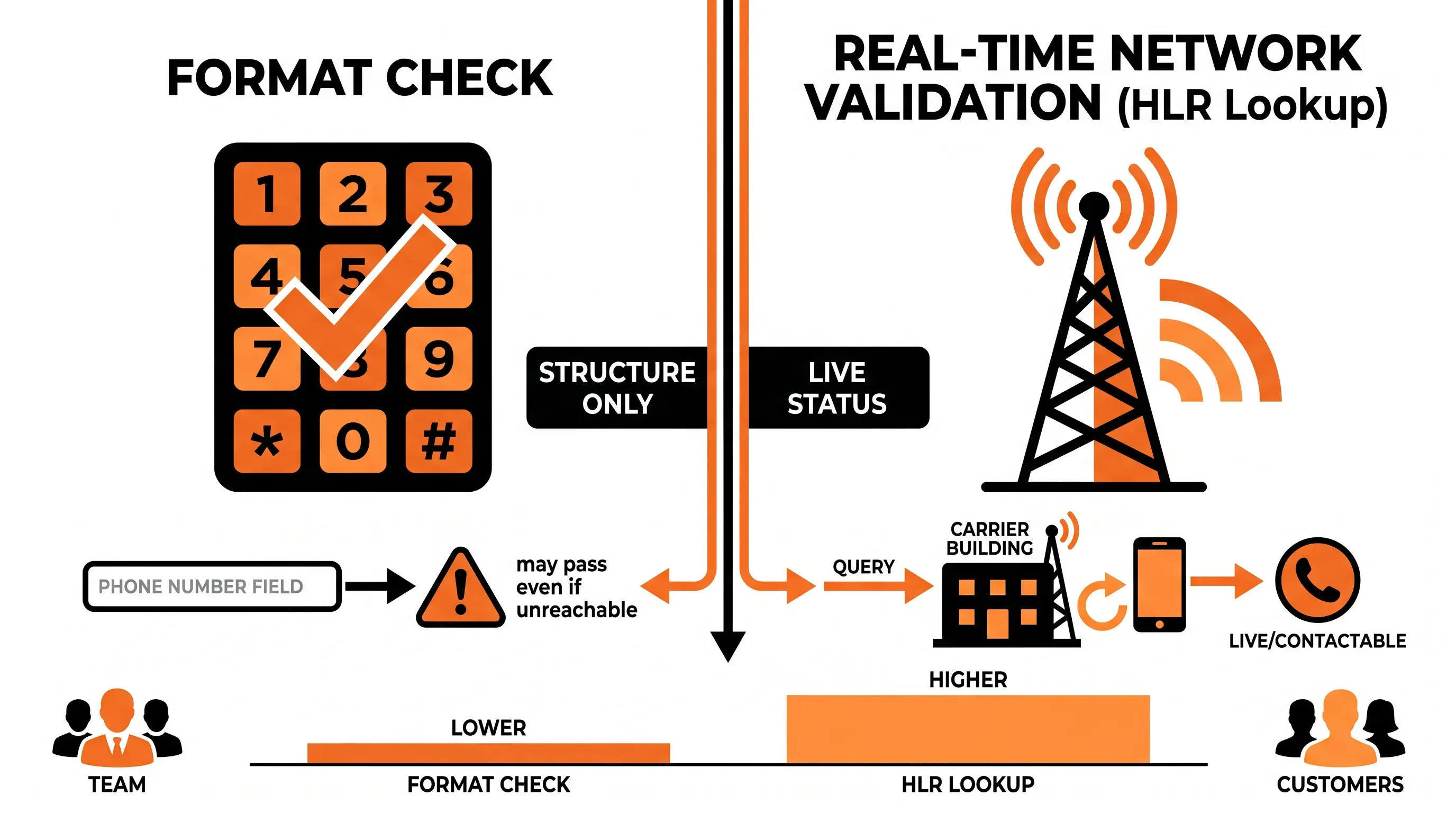
Bold infographic comparing 'Format Check' and 'Real-Time Network Validation' for phone number validation on a white background.

Many teams believe they already validate, and they mostly mean a format check. A format check confirms the number has the right country code and length, with no illegal characters. It catches the customer who typed nine digits instead of ten. Useful, and nowhere near enough.

The reason is simple. A format check reads the number as a string of characters. It never asks the network whether that string belongs to a live phone. So a number can have perfect formatting and pass the check while it is still disconnected; it can also be switched off or reassigned to someone else. Format checking only confirms a number looks valid, while a network-level lookup confirms it's usable in the real world, right now.

That network-level check is a Home Location Register (HLR) lookup. Instead of inspecting the digits, it queries the carrier's own records to confirm the number's live status. An HLR lookup is a real-time method to check whether a number can receive an SMS; its network-state checks cover whether the number is active, valid, ported, or roaming.

  • A format check asks whether the number is written correctly, so it catches typos and structural errors before they enter your system

  • An HLR lookup asks whether the number is alive on a network, so it catches numbers that have gone inactive or have been reassigned after they pass every format test

Understand that split and the earlier puzzle resolves. A number that passes a format check can still be unreachable, because the format check was never designed to know. If you want to protect customer contactability and spend while improving SMS efficiency, the check that matters is the one that talks to the carrier.

Building CRM data quality into your workflow

Once you accept that decay never stops, the fix stops being a cleanup and becomes a routine. A one-time scrub cleans the list on Tuesday and starts decaying again on Wednesday. What protects CRM data quality over time is validation built into the flow of work at two moments.

The first moment is capture. Validate the number when it enters your system or changes during an account update, with signup and checkout as the obvious front doors, so a bad number gets flagged or corrected before it ever sits in the CRM. This is the cheapest place to catch problems, because you stop paying to store and message a number that was never going to work. As the FCC's Reassigned Numbers Database shows with its 300-million-plus records of disconnected numbers, the pool of dead numbers is enormous, and capture-time checks keep more of them out from the start.

The second moment is recurring. Even a number that was live at signup decays afterward, so validate the existing database on a schedule to catch numbers that went dead inside your CRM. For a program running monthly campaigns, validate before each major send; the exact cadence depends on how fast your data moves and how much you spend per send.

Both checks run through an Application Programming Interface (API) that connects to your existing CRM and messaging tools. Real-time validation slots into the point of capture, and batch processing handles the back catalogue so your team can separate clean records from the ones that are invalid or ported and act on the results without guesswork. The discipline is what matters more than the tooling: catch bad numbers on the way in, and keep checking the ones already there, because decay treats a validated list and a neglected one exactly the same after enough months pass.

Clean numbers before you send

Pull the argument back together and it comes down to one line. SMS performance is downstream of CRM data quality, and a validation step before each send decides the outcome before you pay to discover which numbers are dead. Customer contactability and campaign results trace back to the same field, with wasted spend tied to it, and each responds to the same continuous discipline you already have the authority to put in place.

Acudo brings together telecoms experience dating back to 3G Telecommunications in 2005, including HLR Lookup, TPS Unlimited and e164, into one platform for phone-number intelligence, validation, compliance and customer communication. If customer contactability and CRM data quality sit at the center of your operations, speak to Acudo about mobile validation workflows.

Validate every number. Deliver every message.

Talk to our team about real-time phone number validation, fraud prevention, and high-deliverability SMS for your business.

A falling delivered-to-sent ratio and weak conversions from stable send volumes point to bad phone data. Compare reachable records against total CRM records before each send. If the gap grows month by month, crm data quality is limiting the audience before the campaign starts.

Run batch validation before every major SMS send if spend or customer contactability matters to the campaign. For lower-volume programs, set a monthly or quarterly check and review failure rates after each run. Shorten the cadence when inactive or reassigned numbers rise.

No, validation only checks whether a number is usable. It doesn't prove the customer agreed to receive SMS messages, and it doesn't replace opt-in records or unsubscribe handling. You still need to follow local SMS rules and require both consent and reachability before sending.

Suppress invalid or reassigned numbers from SMS sends until the customer updates the record. Keep the old value for audit history if your CRM policy requires it, but mark it as not contactable. Ask for an updated number through email or an account prompt.

Acudo can sit between a CRM and SMS platform through validation workflows that check numbers at capture and before batch sends. The result lets teams separate contactable records from numbers that need correction. That helps reduce wasted SMS attempts without replacing the CRM or messaging system.

Get in touch

Talk to our team about phone number validation, fraud prevention, and reliable SMS communications.

You Might Also Like

Discover more insights and articles

Get in touch

Talk to our experts about validating phone numbers and delivering business-critical SMS with reliability and speed.

Close