How to set up UK phone number verification

Content authorBy Claire ConnorPublished onReading time11 min read
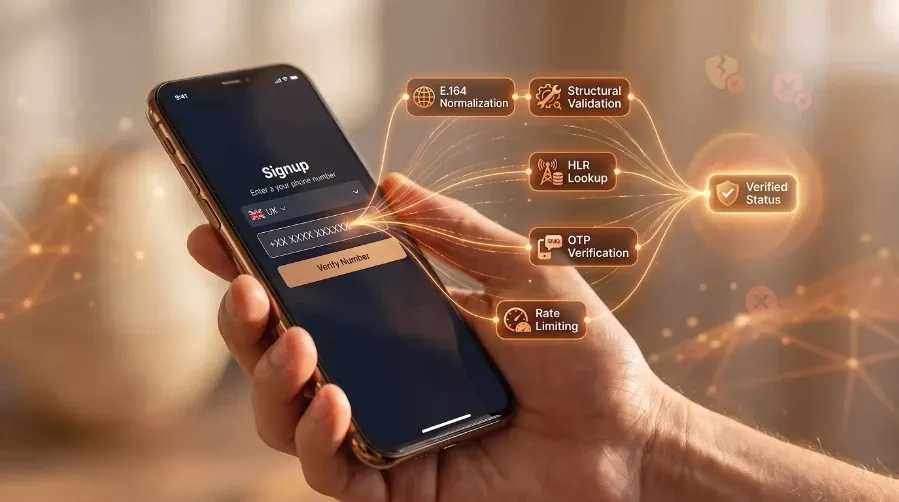
A close-up of a realistic hand holding a smartphone displaying a UK phone number signup interface with a glowing network overlay.

A UK mobile number can look perfectly valid and still be unsuitable for an OTP, onboarding check, or critical customer message. The problem is what happens between accepting the number and sending the message: format validation can confirm that the number follows UK numbering rules, but it cannot tell you everything about the line itself. A stronger verification flow puts number validation and intelligence before the OTP send, so product, engineering, and trust & safety teams can make a better decision about whether to proceed.

UK phone number verification

UK phone number verification should happen before an OTP is sent. For product, engineering, and trust & safety teams, the goal is to establish whether a submitted number is valid, what type of line it belongs to, and what available network intelligence says about its current status before spending money on a message.

A practical flow is:

  1. Capture the number

  2. Normalise it to E.164

  3. Validate the number against UK numbering rules

  4. Enrich it with number intelligence, such as line type, carrier, and available subscriber-status signals

  5. Decide whether the number should proceed to the OTP send

  6. Complete the OTP verification and store the confirmed number

Every OTP request sent to a number you have not validated is a preventable cost and a potential source of failed verification attempts. Juniper Research found that enterprise losses to artificially inflated traffic peaked at $2.1 billion in 2023, driven by fake OTP requests. Validation is the cheapest control you have for UK phone number verification.

Capture the number

The field should accept any number people type. For the UK, that means that both 0XXXXXXXXXX and +44XXXXXXXXXX formats are acceptable. Rejecting any of these at the keystroke level generates support tickets rather than clean data.

Keep the raw string because if the number verification fails, you want to tell the user what was wrong with what they entered. Store the original alongside the normalised value in memory for the length of the request.

Explain that the field accepts UK mobile numbers. A label reading "Mobile number (UK)" plus placeholder text showing 0XXXXXXXXXX removes most guesswork before it starts. If your product also serves customers abroad, use a country selector rather than assuming GB.

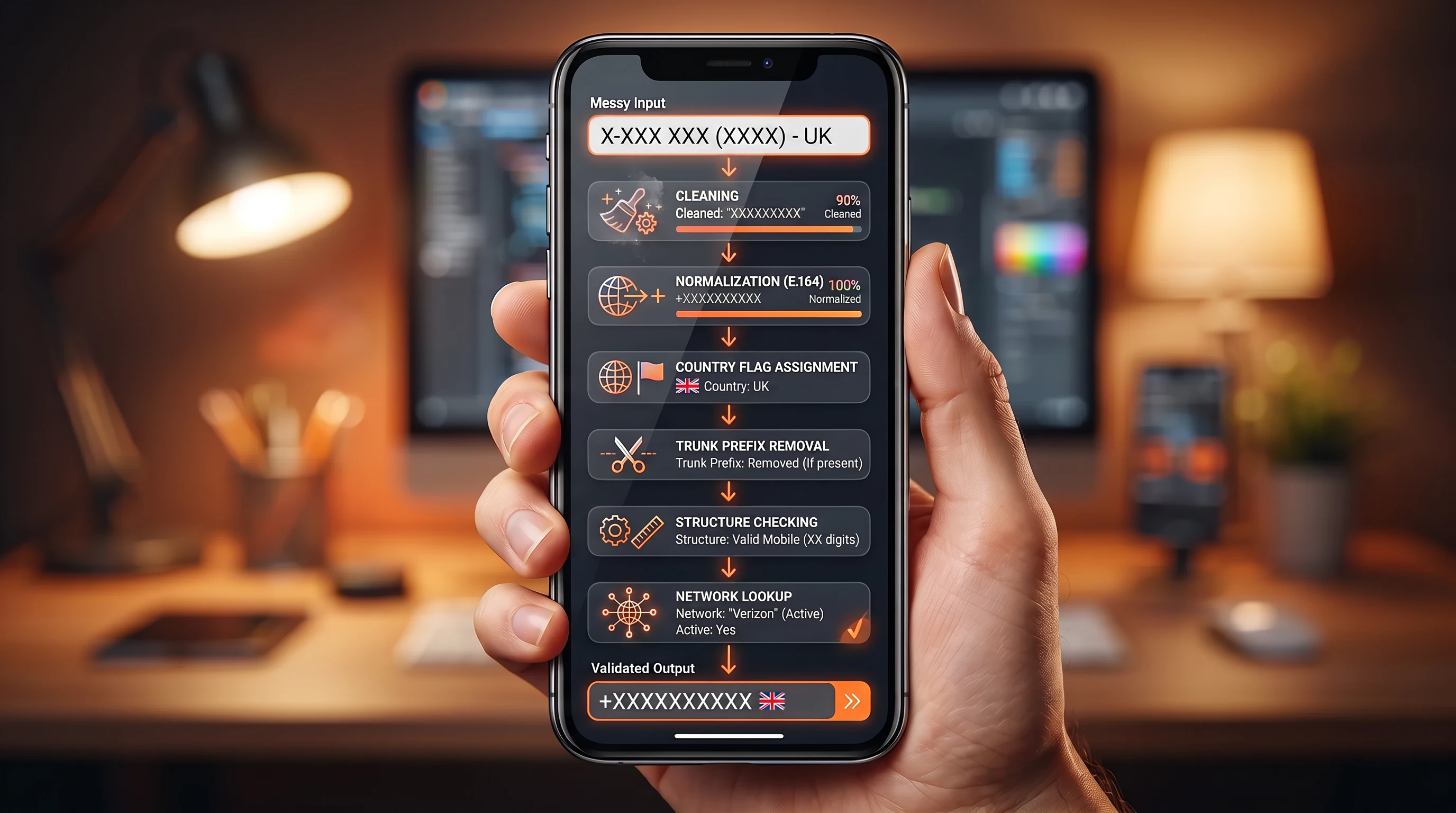
Normalise to E.164

E.164 is the international public telecommunication numbering plan published by the ITU-T. It permits a maximum of fifteen digits and a leading plus sign. Strip spaces and any punctuation someone has typed, then work out what to do with the country code.

The UK national trunk prefix is 0, and it only means something inside the UK. Once +44 identifies the country, the 0 becomes redundant.

However, you should also handle numbers that start with 0044, since users who saved a number from a business card will paste it. Two leading zeros are an international access code, so 0044 XXXX XXXXXX normalises to the same +44XXXXXXXXXX.

Validate before sending

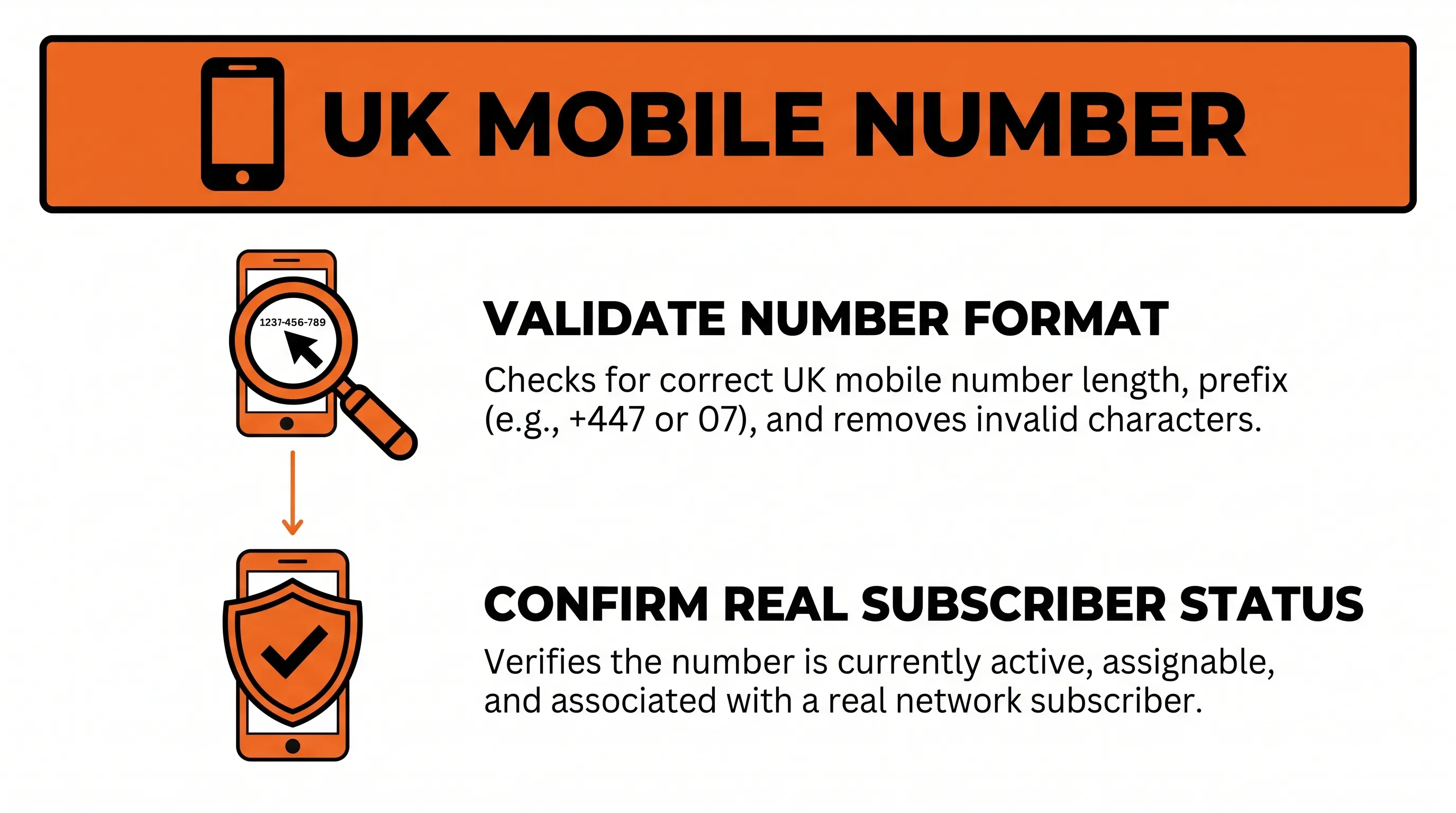
Flat vector infographic on validating UK mobile numbers with two steps: format validation and subscriber status confirmation, on a white background.

Validation works best as a layered check before the OTP provider is called. First, confirm that the submitted number is structurally valid and identify whether it is a UK mobile. Then use number intelligence to add information that a numbering library cannot provide, such as carrier and available subscriber-status signals.

These checks answer different questions. Format validation tells you whether the number conforms to the numbering plan. Number intelligence adds a point-in-time view of the line and network data. Neither should be treated as a guarantee that a handset is currently reachable or that an OTP will be delivered.

The important part is the sequence: validate and enrich the number first, then decide whether to send the OTP.

Validate every number. Deliver every message.

Talk to our team about real-time phone number validation, fraud prevention, and high-deliverability SMS for your business.

Check format with libphonenumber

Parse the input with Google's libphonenumber and pass GB as the default region so national-format entries resolve correctly. This is the structural validation layer: it can determine whether the number matches known numbering patterns, but it cannot tell you whether the line is currently in use. The library's own maintainers are direct about the limit: it "doesn't actually validate whether the number is in use" because it can only match patterns.

Four calls give you what you need. isPossibleNumber() does a cheap length check. isValidNumber() matches against the current GB metadata. getNumberType() returns a PhoneNumberType constant, which is where you confirm you're looking at a mobile. format() with PhoneNumberFormat::E164 gives you the canonical string to carry forward.

Resist writing a regex instead. Ofcom's numbering plan changes and edge cases like 07624 for Isle of Man mobiles will not appear in a pattern you wrote from memory. libphonenumber-js, for instance, correctly returns true for 07XXXXXXXXX in GB. Your regex probably won't.

Use a phone validator tool

Once the number passes structural validation, the next layer is number intelligence. This adds information that a library such as libphonenumber cannot provide, helping teams decide whether a number should proceed to the OTP provider.

Acudo provides this layer through its phone validation and HLR lookup capabilities. Our network intelligence can return information such as line status, line type, and current carrier across 220+ network operators. These are point-in-time network signals, not guarantees that a handset is reachable at the moment an OTP is sent or that the message will be delivered.

The lookup should happen server-side, after structural parsing and before the OTP provider is called. Your application can then use the returned signals to determine whether to proceed, reject the number, or apply another verification step.

  1. Connected. Treat this as an indication that the network currently recognises the subscriber. It supports proceeding to the OTP request, but it does not guarantee handset reachability or message delivery.

  2. Unknown subscriber. The lookup does not identify an active subscriber record. Depending on your use case, this can be a reason to stop the OTP flow and ask for another number.

  3. Invalid MSISDN. The digits don't form a routable mobile number. Stop and show a correction message.

  4. Absent subscriber. The number is real, but the handset is off or out of coverage. This is temporary and changes within minutes, so allow the send and rely on your resend controls.

  5. Fixed line or VoIP classification. The line won't receive an SMS.

Carrier information is another useful signal. A number's current carrier can differ from the carrier associated with its original allocation because of number portability. Number intelligence therefore gives your application information that a prefix-only check cannot.

Reject unsupported ranges

UK mobile numbers sit in 071 to 075 and 077 to 079, plus 07624 for the Isle of Man. Ofcom's National Telephone Numbering Plan designates the neighbouring ranges for something else entirely: 070 is personal numbers and 076, other than 07624, is radiopaging.

The 070 range causes real trouble because it looks like a mobile. An Ofcom spokesperson explained: "These numbers are often mistaken for mobile numbers, but it's important for people to know they generally cost a lot more to call."

Then there are the ranges nobody mistakes for mobiles, but people enter anyway, because they've grabbed the wrong number from their contacts. Landlines on 01 and 02. The 03 range, introduced by Ofcom in 2007 as a non-premium national alternative to 0845 and 0870. Freephone 080 and premium 09.

Prefix checks catch obvious cases, but they are not enough on their own. A number in 077 can be structurally valid while still being unallocated or returning other network signals that affect whether it should proceed to an OTP. That is why structural validation and number intelligence work together: the first checks the numbering rules; the second adds network-level information before the message is sent.

Validate every number. Deliver every message.

Talk to our team about real-time phone number validation, fraud prevention, and high-deliverability SMS for your business.

Connect validation to your OTP flow

Acudo does not replace your existing OTP provider. The validation layer sits before it.

Once the application has captured and normalised the UK number, run structural validation and number intelligence before making the OTP request. Your application can then pass only numbers that meet your flow's criteria to the existing OTP provider.

The basic sequence is:

User input → E.164 normalisation → structural validation → Acudo number intelligence → decision → OTP provider → code verification

This separation also makes the system easier to operate. The OTP provider remains responsible for sending and verifying the code, while the validation layer is responsible for deciding whether the submitted number is suitable to enter that process.

The exact decision rules depend on the use case. A consumer signup flow may reject non-mobile numbers, while an onboarding process may use carrier or subscriber-status signals as additional risk or contactability inputs rather than hard rejection rules.

Send and verify the OTP

After the number passes your validation rules should the application request an OTP. Send the canonical E.164 value produced during validation rather than the raw user input.

From this point, your existing OTP provider handles the code-generation and delivery workflow. The important distinction is that Acudo's role ends at the number-intelligence decision; it does not need to orchestrate the OTP itself.

Your application should still apply standard OTP controls: short code lifetimes, single-use codes, server-side verification, and rate limits on both OTP requests and failed code attempts. OWASP's guidance provides the relevant implementation guidance.

Store the verified number

Write the number to your database after the OTP checks out. Store the canonical E.164 value and a timestamp of the OTP confirmation and, where useful, the validation results used before the send. That timestamp is what lets you re-verify numbers that have sat untouched for two years.

If your interface shows numbers in national format, keep that as a separate display field rather than reformatting on read. Whenever you need to send anything to that number later, whether a delivery notification or a second number OTP, you're pulling the E.164 value straight out of storage with no parsing in between. One canonical column also stops duplicate accounts.

Test UK phone number verification

Ofcom reserves 07700 900000 to 900999 for TV and radio drama, and those numbers are never allocated to real subscribers. They're the right choice for structural test cases, because they parse as valid GB mobiles while never reaching a handset. Combine them with one live handset you control for the end-to-end path.

Work through the cases that actually break things:

  • Valid national input, and its international equivalent. Both must produce the same stored value.

  • The 0044 variant, which normalises identically.

  • +440XXXXXXXXXX, the retained trunk prefix. Your parser must reject it rather than passing it to the gateway.

  • A number with the +44 missing and no leading zero. GB as the default region resolves it.

  • A landline and an 070 personal number, each of which must fail with its own message.

  • Malformed input: too few digits and a pasted string with a trailing full stop.

Return a specific correction for each failure. A generic "invalid number" tells users nothing and sends them back to the same mistake.

Test the validation and decision paths as well. Confirm that structurally invalid numbers never reach the OTP provider. Test numbers that return different line types and subscriber-status signals and verify that your application applies the intended decision to each. Then test the handoff to the OTP provider with a valid number and confirm that the canonical E.164 value, rather than the raw input, is sent.

Finally, test the OTP abuse controls separately: repeated requests, repeated incorrect codes, expired codes, and resend limits. The validation layer should prevent unsuitable numbers from reaching this stage in the first place.

Conclusion

Effective UK phone number verification starts before the OTP is sent. Normalise the submitted number, validate it against UK numbering rules, then add number intelligence to understand the line before deciding whether it should proceed to your OTP provider.

That division of responsibilities matters. Your OTP provider handles code delivery and verification; the validation layer determines whether the number is suitable to enter that process in the first place.

Acudo provides that number-intelligence layer, combining phone validation and HLR lookup capabilities across 220+ network operators. The resulting network signals can help product, engineering, and trust & safety teams make better decisions before sending OTPs, running onboarding checks, or delivering critical customer messages. They are point-in-time signals rather than guarantees of handset reachability or OTP delivery.

If you're building or improving a UK verification flow, speak to our team about where number intelligence can fit before the send.

Validate every number. Deliver every message.

Talk to our team about real-time phone number validation, fraud prevention, and high-deliverability SMS for your business.

Treat the replacement number as unverified and run the full check again. Keep the previously confirmed number until the user passes a new OTP challenge, then store the replacement in E.164 format with a new verification timestamp. This keeps the record tied to the number the user currently controls.

No. Stop the OTP request when the lookup reports an unknown subscriber, an invalid MSISDN, or a fixed line or VoIP destination. Those results indicate that SMS can't reach the number. An absent subscriber is different because the number exists, so normal resend limits can apply.

It rejects 070 because this range is for UK personal numbers, not mobile services. A 070 number can resemble a mobile number but isn't a suitable SMS destination for this flow. Show a message that asks for a UK mobile number instead of a generic validation error.

uk phone number verification prevents duplicates by converting equivalent inputs to one E.164 value before the database write. For example, 07911 123456 and +44 7911 123456 both become +447911123456. Enforce uniqueness on that canonical field rather than on the text a user originally entered.

Speak to Acudo when your signup flow needs a live line-status check between format validation and an OTP send. Acudo's HLR lookup can identify whether a number is connected and whether it is a mobile line. Use the result to define which destinations can receive a code.

Get in touch

Talk to our team about phone number validation, fraud prevention, and reliable SMS communications.

You Might Also Like

Discover more insights and articles

Title:
How to create phone number validator rules that catch common errors

Meta description:
Learn how a phone number validator lets you clean input and check whether numbers can receive messages.

A

How to create phone number validator rules that catch common errors

Turning messy phone input into stored numbers you can actually message means building a validation pipeline, not a single regex. From cleaning through to a live network lookup, then what to return to the caller and how to test the whole thing end to end.

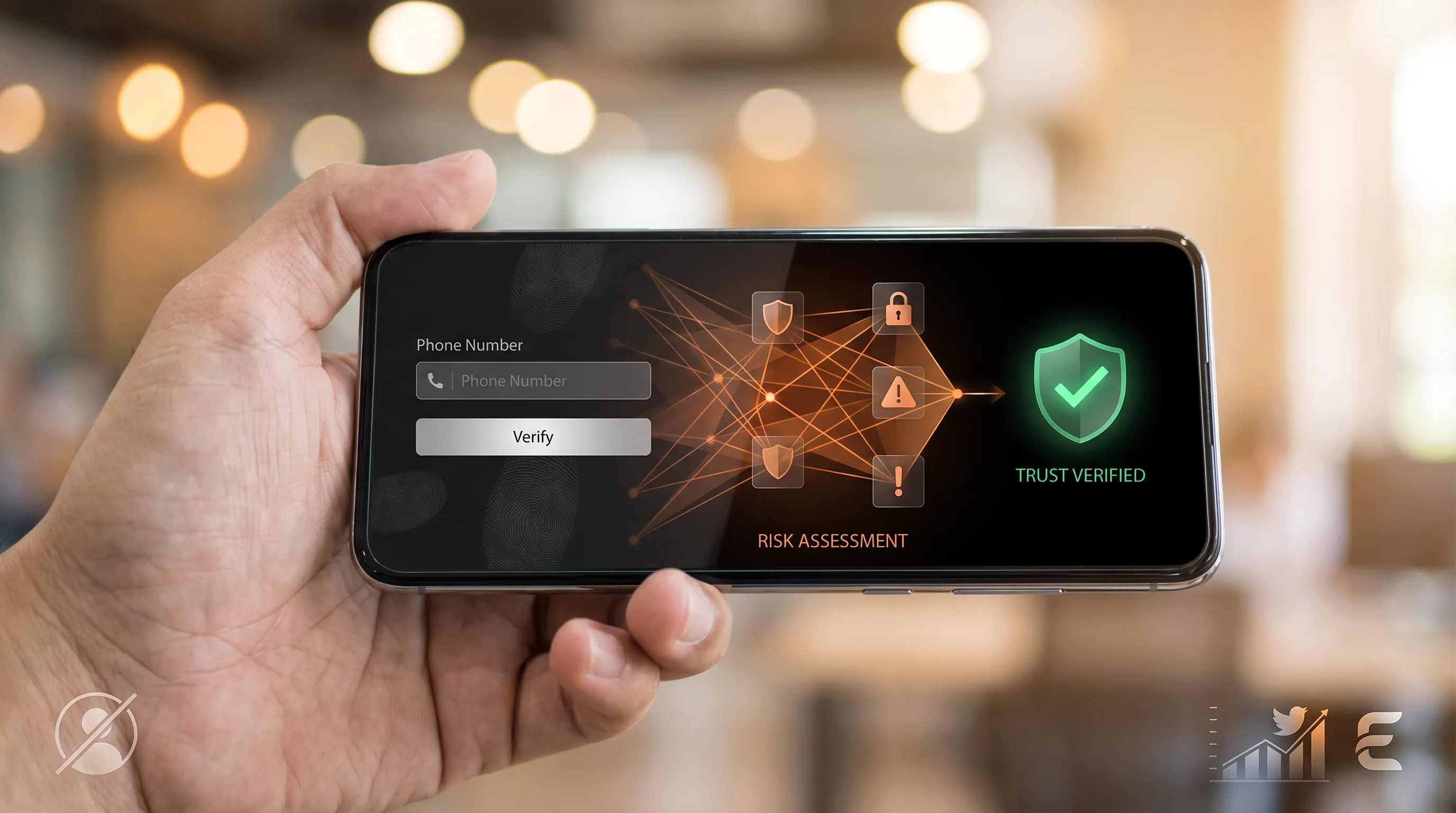
A realistic smartphone in a hand displays a phone number entry UI, glowing network overlay, and a secure checkmark, with warm bokeh background.

Phone verification for trust & safety teams

Fake accounts are rarely stopped by adding another verification step. The better approach is to use phone intelligence to decide which signups need more friction and which can pass with minimal interruption.

For trust & safety teams, the goal is not to verify every phone number in the same way. It is to identify numbers that look risky, validate legitimate ones quickly, and reserve stronger verification for accounts that show other signs of abuse.

A realistic hand holds a glossy smartphone displaying an SMS campaign dashboard, with glowing network icons and warm bokeh background.

How to build a bulk SMS messaging campaign that drives results

A first bulk SMS messaging campaign either sets the pattern for every one that follows, or teaches an expensive lesson in consent and list hygiene before a single message goes out. Getting it right comes down to sequence: one measurable goal, defensible consent, a validated list, and a message worth reading, built on the UK rules that decide whether a text lands or gets filtered.

A realistic hand holds a smartphone displaying a glowing network map, surrounded by icons and a warm, blurred bokeh background.

Understanding phone number data for customer outreach

Phone number data carries attributes that shape calling and messaging decisions, and even a careful cleanup leaves records that go stale over time. A layered validation workflow addresses this directly.