Batch vs real-time integration
Batch and real-time solve different problems, and most mature stacks run both.
Real-time is for the send path and the input form. Latency matters, and the cost per call is acceptable because each call is tied to a decision that has revenue or risk attached. A reasonable per-request budget for a live lookup sits in the 100-300ms range, which is in line with what published benchmarks show for established providers.
Batch is for the database. Throughput matters more than latency, and you can tolerate jobs that run for hours overnight. Use batch for legacy-list cleanup or quarterly campaign preparation, especially when records haven't been touched recently.
A hybrid pattern is the default for most teams:
-
Real-time at the point of capture and inside messaging workflow triggers
-
Nightly or weekly batch for records older than a chosen threshold
-
Ad-hoc batch before any campaign that touches a segment which hasn't been validated recently
That split keeps your live spend on the phone number validation API tied to live decisions and lets batch carry the bulk-cleaning work.
Handling latency and failure
A phone number validation API lives on a critical path, so failure modes matter as much as happy paths. A live lookup that takes 250ms on a good day can take 2 seconds on a bad one if the upstream registry is slow. Plan for both.
A few rules that hold up in production:
-
Set a hard timeout. For OTP sends, 500ms to 1s is a reasonable ceiling. For batch and form validation, 2-3s is fine.
-
Retry once on 5xx with a short backoff. Don't retry on 4xx, because the request is malformed and retrying won't help.
-
Degrade gracefully. If the validator is down, fall back to a format check and log the record for a recheck so the message can continue.
-
Cache recent results. A 24 to 72 hour cache window for a given number cuts repeat calls when the same user triggers multiple flows in a short period.
Cached data goes stale when something changes on the network side. Use the cache as a hint for high-stakes messages like fraud alerts or password resets. For those, force a fresh lookup even if the number was validated yesterday.
The goal is that a slow or broken validator never blocks a critical message. You'd rather send to a number that turns out to be bad than fail to send to a number that's fine, especially in security flows where the user is waiting.
Connecting validation to CRM and ecommerce platforms
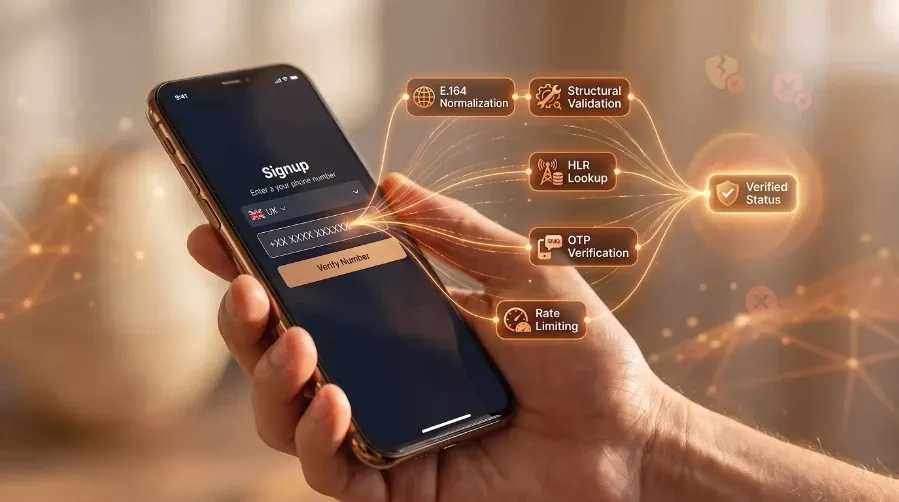
Most teams add a phone number validation API to an existing app. The call has to live inside Salesforce, HubSpot, Shopify, a custom commerce platform, or whatever tool owns the customer record. There are three integration patterns that cover most cases.
Direct API calls from the platform work when the platform supports outbound HTTP and you want to keep the logic close to the data. Salesforce flows and HubSpot workflows both support this. The check fires when a record is created or updated, and the result writes back to the contact object as a custom field.
Middleware sits between the platform and the validator. Zapier and Segment handle the orchestration when you don't want to write platform-specific code. This pattern trades a little latency for a lot of flexibility, which is fine for capture-time validation and batch refresh but less ideal inside a tight send path.
Server-side hooks are the right choice for custom CRMs and any ecommerce stack where you control the backend, including Shopify checkout extensions. The validator runs in your own service and writes the result to the order or customer record, while you decide what downstream systems see. This is also where you'd hang messaging workflow triggers that route between SMS and email, with suppression based on the response.
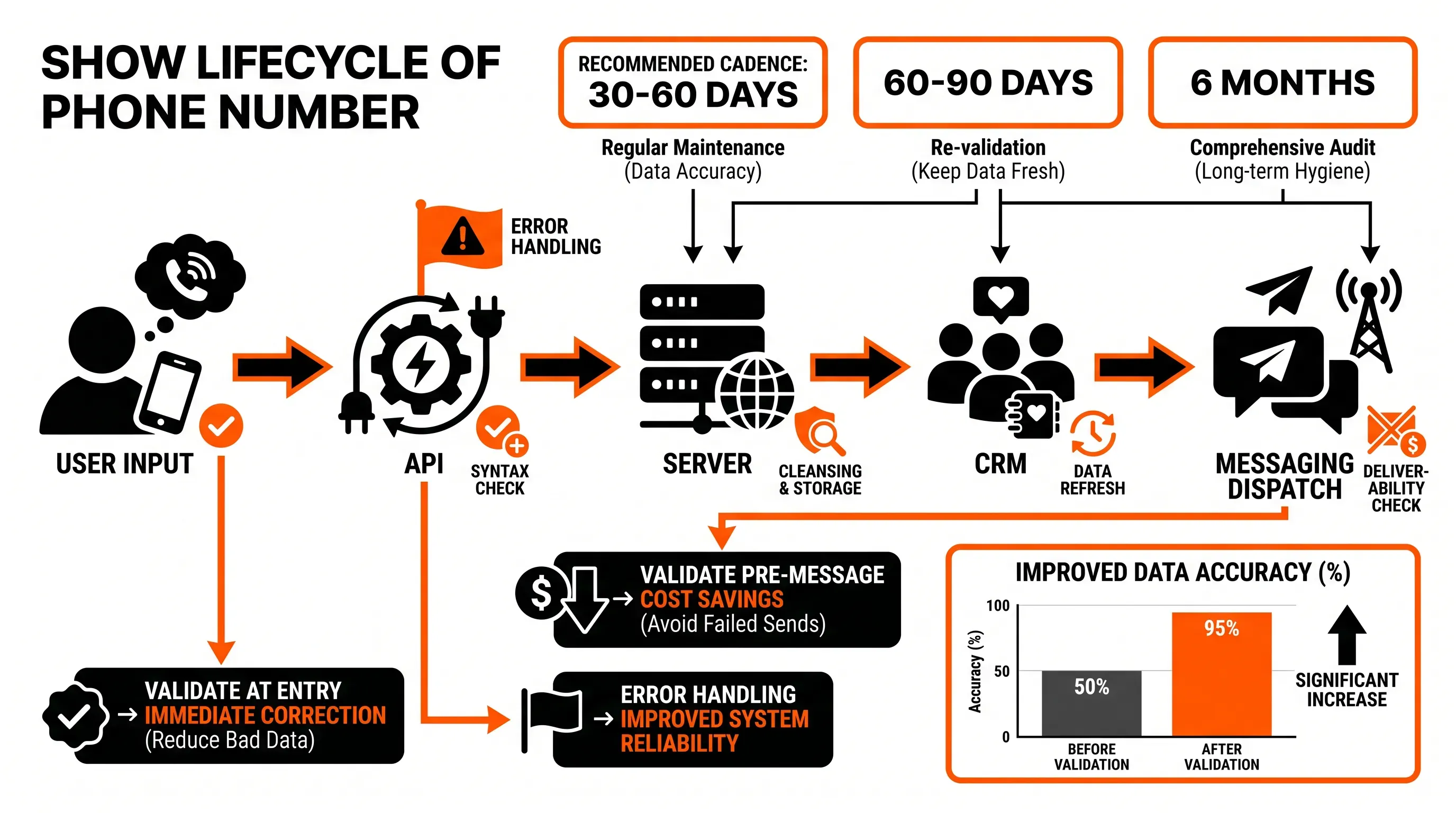
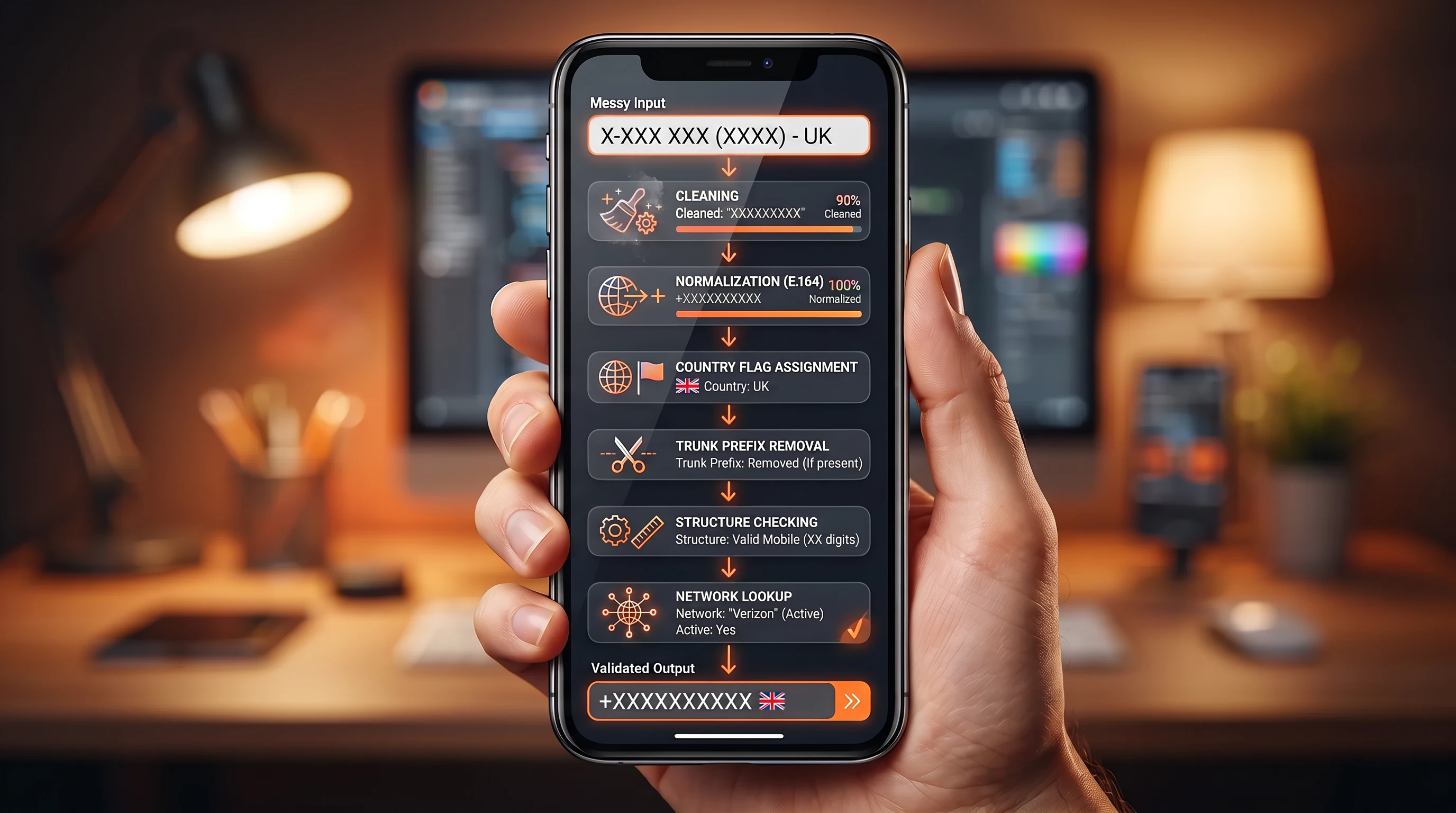
Whichever pattern you pick, write the validation result back to the customer record. Store the line type, the carrier, the last-checked timestamp, and a reachability flag. Other systems that read from the same record then inherit the same check, so your email tool and your SMS platform agree on which numbers are worth contacting, with analytics using the same signal.
What to expect from a specialist provider
The endpoint is the easy part. A serious phone number validation API partner offers a stack of things around it that decide whether the integration will hold up in production.
A short checklist for evaluating providers:
-
Documentation that includes real examples and error code references, with sandbox credentials you can use without a sales call
-
An SLA that names an uptime number and a remedy when it's missed, with a public status page to back it up
-
Data sources tied to live network registries, because static data is decay waiting to happen
-
Support that responds within hours during integration, with engineers who can read your logs and handle the issue directly
-
Pricing that scales with your volume profile, with batch discounts and a clear position on retries
There's a real difference between a generic data vendor and a provider focused on contactability for messaging. A data vendor sells you a list. A contactability provider gives you live signal that messaging workflow triggers can act on, with the carrier-level detail that decides whether an SMS will actually land. Gartner research pegs the average cost of poor data quality at $12.9 million per organization per year, and a chunk of that lives in messaging budgets that pay to reach numbers no one is checking.
Next step with Acudo
If you're weighing where to place a phone number validation API in your stack, the right conversation starts with your actual workflows: where numbers enter and where they're stored, with failure cost tied to the sends that matter most. Acudo focuses on mobile validation for messaging teams and helps businesses confirm reachability before OTPs and campaign sends leave the queue, with alerts covered by the same workflow. Speak to Acudo about mobile validation workflows that fit your CRM and ecommerce platform, with messaging volumes part of the integration plan, and see how a specialist phone number validation API can reduce wasted sends without adding CPaaS complexity.