CRM Data Cleaning for Better Customer Contactability

Content authorBy Claire ConnorPublished onReading time10 min read
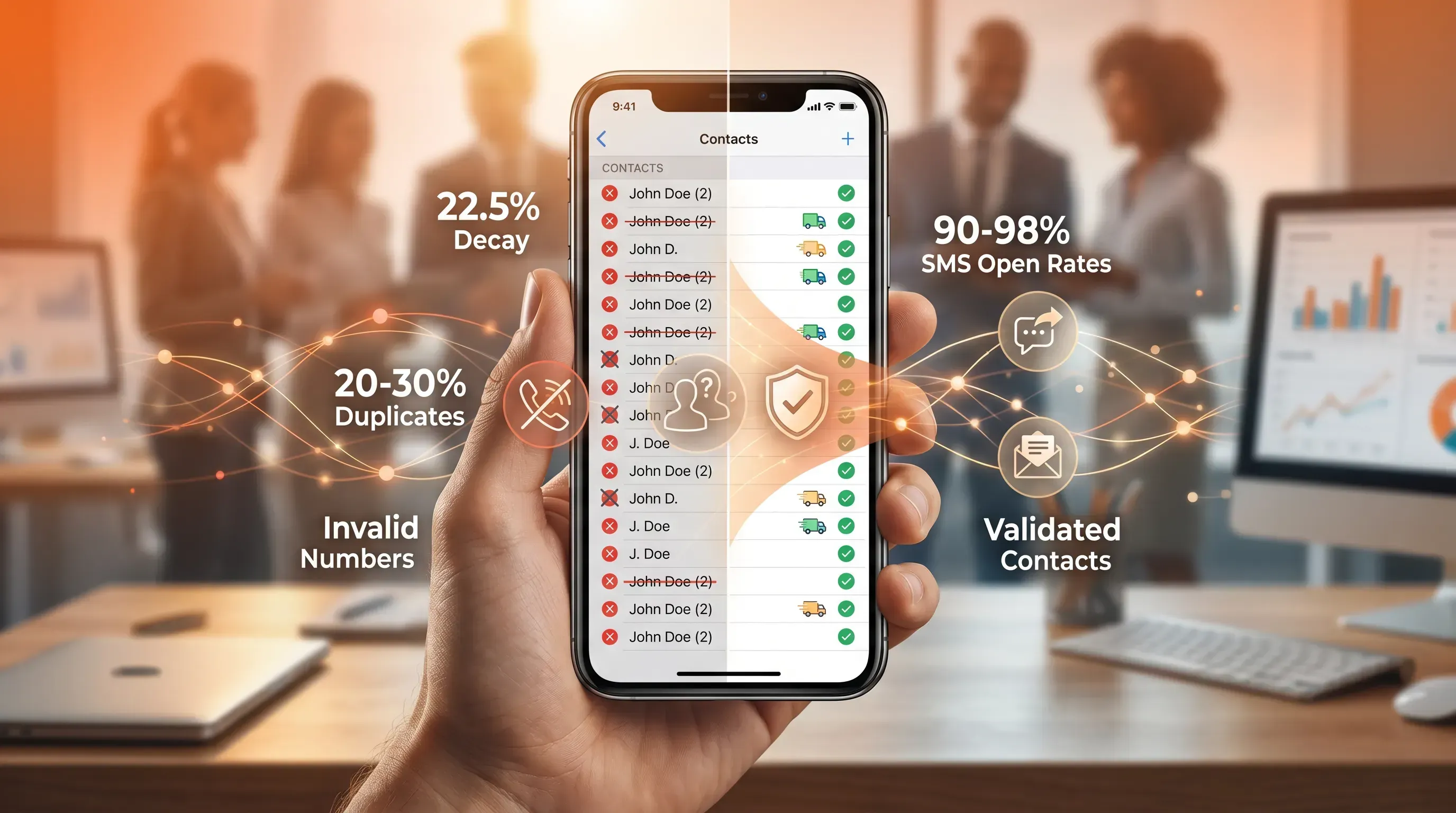
A hand holds a glossy smartphone displaying a cluttered contact list on one side and a clean, validated list on the other, with glowing network lines.

This article explains why phone number hygiene for CRM data is the overlooked half of CRM contactability cleaning, and how it decides whether your SMS and delivery updates ever land. You'll learn how number data goes bad, what it costs, and the cleanup steps that protect your reach and your budget.

Why your messages keep missing customers

You send an order confirmation or a delivery update. The messaging platform reports it as sent, yet the customer calls support asking where the alert was. The problem with CRM data cleaning starts here, at the gap between a message leaving your system and a message reaching a person. That gap is wider than most teams admit.

"Sent" is not "delivered." "Sent" means only that the message has been accepted by the carrier while the handset delivery hasn't happened yet and may never happen. The credit is spent either way. Carriers can block, delay, or silently filter a message after accepting it, and you may never receive an explicit "failed" status when that happens. When a message fails because the number behind it is unusable or pointed at a landline, the channel takes the blame while the real fault sits in your customer contact records.

Landlines cannot receive SMS in most markets, and deactivated numbers, typos, and line-type mismatches quietly drain messaging budgets with every campaign. Phone and mobile data quality is the piece your cleanup keeps skipping.

What most customer contactability validation misses

Most CRM data cleaning projects go after emails and obvious duplicates, but that's a different job from customer contactability validation. Acudo doesn't clean your whole CRM; it keeps the phone numbers inside it actively verified and validated, so contact records don't quietly decay between cleanups. Here's why that specific gap gets missed.

Mobile data behaves differently. A dead number rarely throws an error you'll notice. The carrier accepts the message, and the credit disappears with no signal that a human was ever on the other end. Vonage's SMS delivery resource identifies an invalid or non-existent number as the most common reason messages fail to arrive and the silence around the failure is exactly what lets it persist.

If you run SMS or delivery updates, number quality earns the same weight as email quality. The economics back that up. SMS open rates consistently sit at 90 to 98 percent, with most messages read within three minutes — which is precisely why a number that can't receive the text is so expensive. You're losing the one channel customers actually read.

How customer contact records go bad

Numbers decay faster than most teams plan for. B2B contact data degrades at roughly 22.5 percent per year, and phone fields are among the worst affected. The sections below break the failure into distinct types so you can diagnose each one separately in your own database.

Outdated and disconnected numbers

People change carriers and abandon old lines. When they do, the number in your CRM keeps looking valid while reaching no one. In B2B databases specifically, roughly 42.9 percent of contacts see their phone number change within 12 months. Most of it driven by job changes that reassign or retire the number entirely and a stale record gives you no visible warning that it's gone bad.

These are the dangerous ones because they fail quietly. The message is accepted, and the customer who needed the delivery alert never hears from you. The clearest signal is age. A number that hasn't been verified or engaged in many months is a candidate for re-checking before you trust it with another high-stakes send.

Validate every number. Deliver every message.

Talk to our team about real-time phone number validation, fraud prevention, and high-deliverability SMS for your business.

Invalid customer contact records

Invalid entries are the ones that were never going to work. That can mean a typo at the point of entry or a landline stored where a mobile is required. Landlines and non-existent numbers are the most common reason messages fail to arrive. They find their way into databases precisely because web forms collecting phone numbers don't distinguish between mobile and fixed lines unless something forces the distinction.

There's a difference worth holding onto here. An invalid number reaches nobody, so the cost is wasted spend and an unreached customer. A wrong number reaches the wrong person, which means your order alert or passcode lands in a stranger's inbox. Both damage contactability, and both trace back to the same root cause: no validation rule at the moment the number was captured. The cleanest fix is upstream, since fixing a record at entry costs about $1 versus $100 once the bad data has propagated through your systems.

Duplicate and conflicting entries

The same customer shows up as two or three customer contact records, each carrying a different number, and now you can't tell which one is current. One came from a checkout form, and another came from a support ticket. The average duplicate rate in a database can run as high as 20 to 30 percent, and most teams underestimate their own.

Duplicate phone data hurts in ways duplicate names don't. You send the same alert twice and annoy the customer. Your segmentation splits one person's history across records, so targeting gets unreliable. And duplicates are harder to catch on the number field, because the same person can legitimately hold a mobile and a landline while a misformatted entry can hide a match that detection tools miss. CRM consultants recommend keeping duplication below 5 percent, and anything above that actively distorts your reach.

What bad numbers actually cost

Here's the case you can take to a stakeholder. Every message sent to a dead or invalid number is a credit spent on nobody, and at scale that line item is real. Almost half of companies partially lose annual revenue to low-quality CRM data, which for a $30 million business is $3 million walking out the door.

The waste doesn't stop at credits. Bad numbers drag down your delivery rate, and a falling delivery rate erodes the trust carriers place in your traffic, which makes the next campaign harder to land too. So the same dirty data charges you twice: once on the wasted send, again on the weakened reach for everything that follows.

Then there's the customer who never got what they needed. More than 70 percent of consumers want delivery and order notifications, and a missed shipping alert leaves a customer unable to track their package or receive a passcode. Failed contactability ties straight to revenue and retention, which is the language a budget conversation actually responds to.

Validate every number. Deliver every message.

Talk to our team about real-time phone number validation, fraud prevention, and high-deliverability SMS for your business.

CRM data cleaning for mobile quality

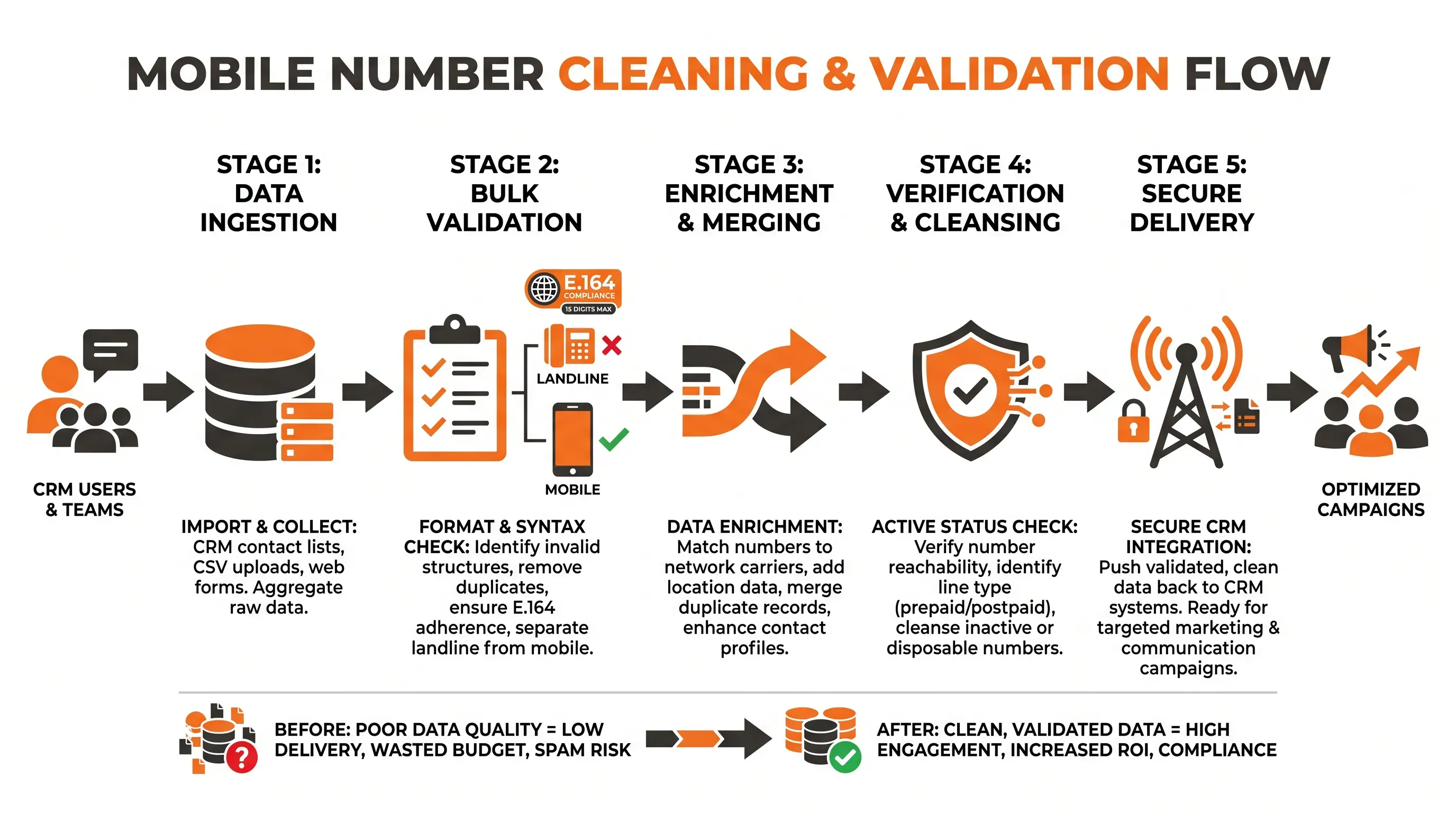
Bold infographic illustrating five stages of cleaning and validating mobile numbers in CRM, with icons, arrows, and concise text.

Fixing number data takes methods built for numbers. A focused CRM data cleaning effort on the mobile side comes down to a few moves you can sequence:

  • Run bulk validation across the database to flag invalid entries and separate landlines from mobiles before they cost you a send.

  • Standardize every number to a single international format. The E.164 standard from the ITU caps numbers at fifteen digits with a country code and subscriber number, which removes the formatting ambiguity that breaks delivery.

  • Deduplicate on the number field, and choose a master record that carries the most recently verified mobile.

  • Enrich where numbers are missing or stale to recover a current, reachable line.

The part that matters most is also the least obvious. A format check tells you a number has the right structure, but it can't tell you whether that number is live on a network. As the team behind HLR Lookup describes it, a Home Location Register check goes to the network level and returns network status along with line type and carrier. That's why dedicated tooling matters here. Many bad numbers stay invisible until you validate them against carrier data, and no amount of format cleanup will surface them on its own.

Pre-campaign cleanup before you send

Routine hygiene keeps the whole database healthy. As part of CRM data cleaning, Pre-campaign cleanup is the tighter pass you run on the exact segment you're about to message, and it's the step that protects your highest-stakes sends. Before a major SMS push or a critical alert, validate and deduplicate just that segment so you're not relying on a database-wide check from three months ago.

A disciplined pre-campaign cleanup does three things. It removes dead and landline numbers from the list so spend goes only to reachable mobiles. It collapses duplicates so no customer gets the same message twice. And it confirms consent, which isn't optional given that a single non-compliant campaign to 1,000 contacts under the Telephone Consumer Protection Act (TCPA) carries fines of $500 or more per message.

The payoff shows up directly in your numbers. When the list going into a send is already validated and opted-in, your delivery rate holds and your budget reaches people who can actually receive the message. Skip the pre-campaign cleanup and you pay for the gap on the most expensive sends you run, the ones where reach matters most. Make it a standing step before any major campaign.

Keeping CRM number data clean

A one-off CRM data cleaning effort buys you a clean database for a moment. Then decay resumes, and within a year you're back where you started. Treat number quality as a discipline.

Four practices keep the database from aging:

  • Put validation rules at the point of entry so a malformed or non-mobile number can't enter the CRM in the first place.

  • Schedule audits on a recurring cadence instead of waiting for a campaign to expose the issues.

  • Run freshness checks that re-verify any number not confirmed within a set window, since age is your earliest warning of decay.

  • Assign clear ownership of data standards so someone is accountable for the format and the cadence.

The reason this has to be ongoing is the same reason the cleanup worked: numbers change constantly, and a static record loses relevance the day after you verify it. Reps spend a lot of their time wrestling with inaccurate data, time you reclaim when validation runs quietly in the background instead of in a panic before each send. Institutionalise it across the team and number quality stops being a recurring fire.

Clean numbers, reachable customers

Contactability comes down to one thing. A message reaches a customer only when the number behind it can receive the message. That requires active status and correct formatting, with duplicates already resolved. That makes mobile data a first-class part of CRM data cleaning. Treat it that way and you get higher delivery rates and customers who actually receive what you send.

Acudo specialises in mobile number validation for teams that need to contact customers. Its platform combines HLR Lookup and TPS Unlimited for bulk and real-time checks. If your CRM holds numbers you no longer trust, speak to Acudo about a validation pass and putting CRM data cleaning in front of your capture flows.

Validate every number. Deliver every message.

Talk to our team about real-time phone number validation, fraud prevention, and high-deliverability SMS for your business.

Start with the number field and consent status. Then check the last verified date and the record ID used for matching. These fields decide whether a message can be sent lawfully and tied to the right customer when duplicate records exist.

Recheck active SMS segments before each major send and audit older records on a set schedule. A 90-day window works for high-value alerts, while lower-risk lists should follow your send frequency. Any number with no recent engagement should be verified before critical messages.

Yes. A number can pass a format check and still be disconnected or assigned to a landline. Format checks confirm structure only. Network-level validation is needed when you must know whether a customer can receive an SMS before you send it.

Don't delete invalid mobile numbers immediately. Flag the number and suppress it from SMS while you keep the customer history intact. If the customer updates their details, replace the old number and record the verification date. Deletion can break order history or audit trails.

Mobile validation supports crm data cleaning by checking whether a number is reachable on a mobile network instead of stopping at format. Acudo helps teams validate mobile numbers before critical communications, which reduces wasted SMS sends and gives the CRM a more reliable contactability status.

Get in touch

Talk to our team about phone number validation, fraud prevention, and reliable SMS communications.

You Might Also Like

Discover more insights and articles

A human hand holds a glossy smartphone, showcasing a contact list transforming from messy to clean entries against a warm bokeh background.

Customer Phone Number Cleansing for Better SMS Campaign Readiness

This article explains customer database cleansing and shows how a practical pre-send cleanse protects SMS delivery and budget before a large campaign or seasonal peak.

A hand holds a glossy smartphone displaying a dynamic CRM interface, surrounded by organized contact nodes and metrics in a warm office setting.

Customer Data Cleansing: Keep Contact Records Accurate Before You Message

This article treats customer data cleansing as an ongoing maintenance cycle that explains contact record decay and builds a repeatable routine around its costs so your messages keep reaching real people.

A realistic tech scene featuring a smartphone displaying an SMS campaign dashboard, with glowing validation nodes and a CRM contact list overlay.

CRM Phone Data Quality: Why Customer Phone Numbers Matter Before You Send

This article explains why CRM data quality shows up first in the phone number field and how that quiet decay drags down your SMS results. It also explains what to do about it. You will finish able to diagnose whether your own contact data is costing you reach and money through weaker delivery, and to make the case for fixing it.

A realistic hand holds a smartphone, surrounded by warm bokeh, with data icons streaming in and glowing contact nodes on the side.

Customer Phone Data Cleaning for More Reliable SMS Communication

This article explains why customer data cleaning is the real fix behind reliable SMS for order alerts and delivery updates. It walks through the data faults that make contact records go stale and break message delivery, then shows what a practical pre-send validation process looks like for ecommerce and operations teams.

Get in touch

Talk to our experts about validating phone numbers and delivering business-critical SMS with reliability and speed.

Close